Embark on the humorous and often chaotic journey of DIY computer upgrades, where good intentions quickly collide with tangled wires, incompatible parts, and unforeseen mishaps. From fumbling with tiny screws to battling spaghetti-like cable arrangements, this guide reveals that even the most confident tech enthusiasts face moments of frustration and hilarity. But amid the chaos, valuable lessons emerge—patience, organization, and a sense of humor turn setbacks into triumphs. Learn how to prepare your workspace, select compatible components, and troubleshoot common problems with calm resolve. Why do small errors—like loose connections or misread specifications—often cause the biggest headaches? Because every misstep is a step toward mastering your machine, transforming frustration into confidence. With practical tips and a lighthearted approach, this overview invites readers to see each upgrade not just as a technical task but as an empowering adventure in resilience and skill-building.
Embark on the Humorous Journey of DIY Computer Upgrades
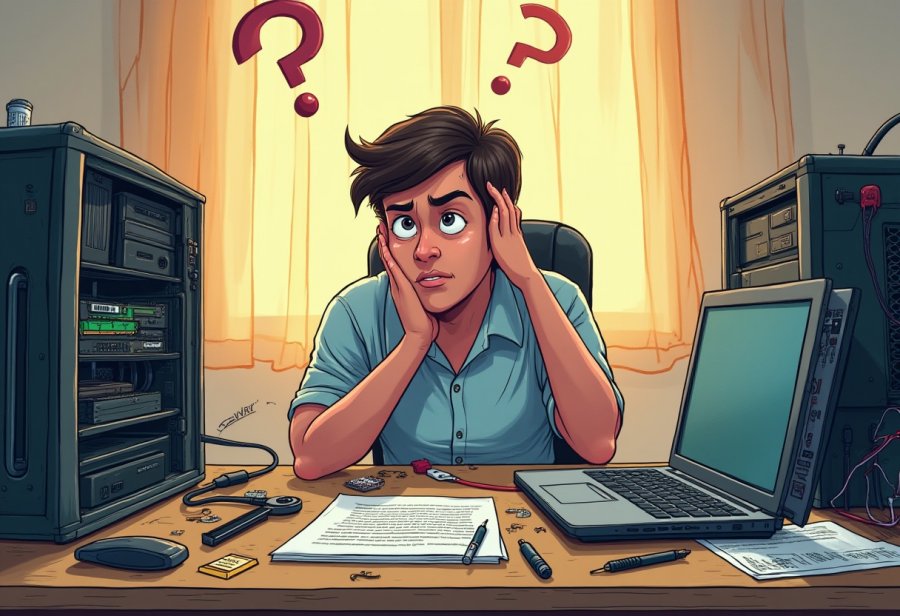
Upgrading your computer on your own is often a humorous rollercoaster. You start with the best intentions—aiming for faster load times, better gaming performance, or simply to breathe new life into an aging machine. But before you know it, you’re knee-deep in a tangled mess of cables, tiny screws, and unfamiliar tools, wondering how everything got so complicated so fast. It’s a familiar scene: someone sitting at a cluttered desk, eyes wide as they stare into the open case, surrounded by parts and instructions that seem more like a foreign language than helpful guidance.
Many DIY upgrade adventures begin with confidence. You’ve watched a few tutorials, read some forums, and feel ready to take on the task. But reality quickly sets in. The cables you thought would be straightforward turn into a web of chaos, with wires crossing every which way like spaghetti on steroids. That shiny new RAM stick or graphics card suddenly seems impossible to fit, or worse, you realize you’ve bought incompatible parts. It’s easy to feel frustrated—or even overwhelmed—as you wrestle with tiny screws and fragile components, questioning whether you’re doing it right.
Humor often sneaks into these moments. Maybe you drop a screw into the case, only to spend the next ten minutes crawling on your hands and knees searching for it. Or you might accidentally knock over a glass of water—definitely not recommended—turning what was supposed to be a quick upgrade into a mini disaster. Cable management becomes a twisted art form, with wires curling into knots that would make even seasoned builders grimace. These are the truths of DIY upgrades: chaos, mishaps, and a lot of laughs later on.
It’s also common to have lofty expectations about how smooth the process will be. Many imagine swapping out a GPU or adding RAM will take just a few minutes, following online guides step-by-step. But the reality? Compatibility issues crop up, screws refuse to cooperate, and suddenly, what looked like a quick job turns into a troubleshooting marathon. The surprise factor keeps the experience lively, and often, the mistakes become stories worth sharing. Despite the mess, these moments are part of the journey—reminding us that surprises happen, and that’s okay.
In the end, these chaotic moments are what make DIY upgrades memorable. They teach patience, humor, and resilience. Sharing these stories with friends or online communities turns frustration into camaraderie. Every tangled cable or dropped screw becomes a badge of honor, proof that you’re learning and improving. With a sense of humor and a bit of perseverance, what begins as a chaotic mess can turn into a satisfying achievement, making the whole experience not just a task, but a memorable part of your tech journey.
Demystifying the Core Parts, Tools, and Steps of Your Upgrade
Once you’ve cleared the chaos ahead of time, understanding the core parts, tools, and steps involved in a DIY computer upgrade can make the process much less intimidating. The main components you’ll typically work with include RAM, storage drives, graphics cards, and sometimes a new CPU. Each piece has its own quirks and compatibility considerations, so knowing what to look for helps prevent unnecessary headaches down the line. Gathering the right tools—like a good magnetic screwdriver set, an anti-static wristband, and organizing containers for screws—sets a solid foundation for a smooth upgrade.
Preparing your workspace is just as important as knowing your parts. Find a clean, static-free area with enough room to work comfortably. Lay out your tools and parts beforehand, and label cables or screws if possible. This organization not only prevents lost pieces but also simplifies reassembly when you’re finished. A cluttered or chaotic workbench often leads to misplaced screws or crossed wires—both of which can turn a simple upgrade into a troubleshooting nightmare.
Starting with a powered-down, unplugged system, open the case carefully by removing the back panel screws. Ground yourself to prevent static damage by touching the metal case or wearing your anti-static wristband. As you remove existing hardware, do so gently, taking note of how everything is connected. Keep track of each screw and connector, and consider labeling cables for easier reinstallation. Patience here is key—rushing can lead to bent pins or damaged sockets, which create more issues later.
Installing new hardware involves aligning components with their designated slots or sockets, then pressing or securing them gently. If something doesn’t slide in smoothly, double-check its compatibility and orientation before applying force. Reconnect cables methodically, making sure each connection is snug but not over-tightened. Once everything is in place, powering up for the first time can be nerve-wracking, but most of the time, a quick recheck of connections and BIOS settings gets your system up and running smoothly.
Throughout the upgrade, expect some surprises—like tangled wires or a stubborn screw that refuses to stay put. Using cable ties or Velcro straps to tidy wires makes future upgrades easier and minimizes the risk of accidental disconnections. If your system doesn’t boot immediately, take a step back, double-check every connection, and troubleshoot systematically. With patience and organization, what once seemed complex becomes manageable—building confidence with each successful step.

Laughing Through the Common Failures and Funny Incidents
Even with careful planning, DIY computer upgrades often turn into comedy sketches rather than smooth operations. One of the most common—and funniest—pitfalls is tangled cables. Without a moment to organize, wires cross and knot into a spaghetti mess that’s almost impressive in its chaos. Troubleshooting then becomes a game of hide-and-seek, with cords slipping behind components or disappearing into the depths of the case. Spending a few minutes to bundle and label cables with zip ties or Velcro can save hours of frustration when you’re reconnecting everything later, turning chaos into order.
Hardware mishaps add another layer of comedy, though they can be maddening in the moment. Imagine installing a graphics card only to realize you’ve been trying to slot it into the wrong PCIe port for ten minutes. Or dropping a tiny screw or RAM stick into the case, launching a frantic treasure hunt. These moments might seem absurd after the fact, but they’re familiar to anyone who’s ever built a PC. The key is to stay calm, keep things organized, and remember that most mistakes are easy fixes—usually just a matter of reseating a component or double-checking connections.
Misreading compatibility details is a classic source of chaos. It’s easy to assume parts will fit just because they look right, but forcing incompatible RAM modules or installing a CPU into the wrong socket often leads to a dead system or hardware damage. These missteps are frustrating but serve as valuable lessons. Double-check your specs before you start, and take your time to ensure everything aligns correctly. When you get it right, that triumphant feeling makes the chaos worth it.
Troubleshooting when things go wrong often feels like stepping into a comedy sketch. Maybe your monitor stays blank, or your system beeps in a pattern you don’t recognize. Checking connections and reseating components is routine, but sometimes a simple oversight—like a loose cable or an unseated RAM stick—is the culprit. Staying methodical and patient often reveals the small mistake causing the problem. Rushing or panicking only complicates things; a calm approach helps you spot the obvious errors and resolve them faster.
Hardware that refuses to cooperate can turn your upgrade into a slapstick routine. Perhaps your new GPU isn’t compatible or needs a BIOS update, or your system powers on but displays nothing. These surprises remind us that even seasoned builders face setbacks. The best response is to keep a sense of humor, recheck every connection, verify compatibility, and consult forums when stuck. Usually, a little troubleshooting—like reseating a component or updating firmware—solves the issue. Embracing the unexpected turns mishaps into part of the story, making the process more memorable and less stressful.
Practical Tips to Tame the Chaos and Achieve a Smooth Upgrade
Before diving into your upgrade, it’s wise to set yourself up for success with some simple preparations. Back up all your important files—photos, documents, projects—so you’re protected if something unexpected occurs. Double-check that your new components are compatible with your current setup; verifying specs can save you hours of troubleshooting later. Organizing your workspace is equally crucial. Clear a clean, static-free area, lay out your tools, and arrange screws and small parts in labeled containers. A tidy workspace keeps things manageable and helps prevent accidental losses or misplaced pieces during the process.
Patience is your best friend during every step. Power down your system completely, unplug all cables, and ground yourself to prevent static damage. Opening your case carefully and methodically avoids accidental hardware damage. As you remove old parts, take your time, noting how each connection is made. Labeling cables can make reassembly smoother, preventing confusion later. When installing new hardware, align components gently into their slots—forcing parts can cause damage. If something doesn’t fit easily, stop and double-check compatibility rather than rushing it in. This careful approach reduces the risk of mistakes that could set you back.
Reconnect cables neatly, avoiding over-tightening screws or forcing connections. Organized wiring not only improves airflow but also simplifies future upgrades or troubleshooting. Before powering up, double-check every connection and component seating. If your system doesn’t boot immediately, re-examine your work step-by-step—often, a loose cable or a misseated RAM stick is the culprit. Staying calm and methodical helps you identify simple oversights quickly, saving time and frustration. Remember, troubleshooting is part of the process; patience and attention to detail make it much easier.
Expect some surprises along the way—wires crossing in every direction, screws hiding in corners, or hardware that resists installation. Using cable ties and labeling cables tidies your build and prevents tangles down the road. If issues arise, re-seat components, update BIOS, or check driver installations—most problems have straightforward fixes. Rushing or panicking only complicates matters. Taking a step back to review connections and settings often reveals the simple oversight causing the trouble. Approach each hiccup with a calm mindset; it turns potential setbacks into learning moments.
Finally, celebrate each small victory—successfully installing a component or resolving a tricky issue. These wins build confidence, making future upgrades even smoother. Keep in mind that setbacks are normal, no matter your experience level. The key is to stay organized, patient, and maintain a sense of humor. With each upgrade, you refine your skills, turning chaos into competence. After all, a well-prepared and calm approach transforms what could be a stressful task into a rewarding experience, leaving you ready for the next tech adventure.

Final Tips and Encouragement for Confident DIY Upgrading
Starting a DIY computer upgrade might seem daunting at first, but a few simple steps can turn it into a rewarding experience. Backing up your important files before you begin ensures you’re protected from any unexpected mishaps. Double-check the compatibility of your new parts with your existing system to avoid surprises later on. Organizing your workspace—clearing clutter, laying out tools, and labeling cables—sets the stage for a smoother process and minimizes the risk of losing small screws or misplacing components.
Patience and careful attention to detail are your best allies. Power down your system completely, unplug everything, and ground yourself to prevent static damage. Take your time when opening the case and removing old hardware, making note of how everything is connected. When installing new parts, gently align and seat them without forcing. If something doesn’t fit, double-check compatibility rather than rushing, as this saves time and prevents hardware damage. Reconnect everything methodically, ensuring cables are secure but not over-tightened.
Expect some hiccups along the way—wires crossing in every direction or screws hiding in corners are common. Using cable ties and labeling cables helps keep your build tidy and makes future upgrades easier. If your system doesn’t boot right away, revisit connections, reseat components, and verify BIOS settings. Remaining calm and methodical during troubleshooting prevents frustration from snowballing and often reveals simple oversights. Remember, most issues are straightforward to fix with patience and a clear head.
Celebrate small victories—successfully installing a new drive or resolving a tricky connection boosts your confidence. Each step you take builds your skills and makes the next upgrade less intimidating. Keep in mind that setbacks happen even to the most experienced builders; they’re part of the learning curve. Maintaining a sense of humor helps keep the process enjoyable and turns problems into stories you’ll laugh about later.
The key to a successful upgrade lies in preparation, organization, and patience. Approach each step with purpose, and don’t rush through the process. Take breaks if needed, and revisit tricky steps with fresh eyes. Over time, your confidence will grow, transforming what once felt overwhelming into a routine task. Each upgrade not only improves your machine but also sharpens your skills, making future projects faster and easier.
Finally, remember that every tech whiz started exactly where you are—wading through chaos with a smile. Embrace the mess, learn from each mistake, and celebrate every small win. With a calm mindset, a sense of humor, and a bit of patience, DIY upgrades become less about frustration and more about achievement. The satisfaction of seeing your system run better than ever makes all the tangled wires and dropped screws worth it. Keep going—you’re building more than just a computer; you’re building confidence and independence in your tech skills.
